What is Go Document Merge?
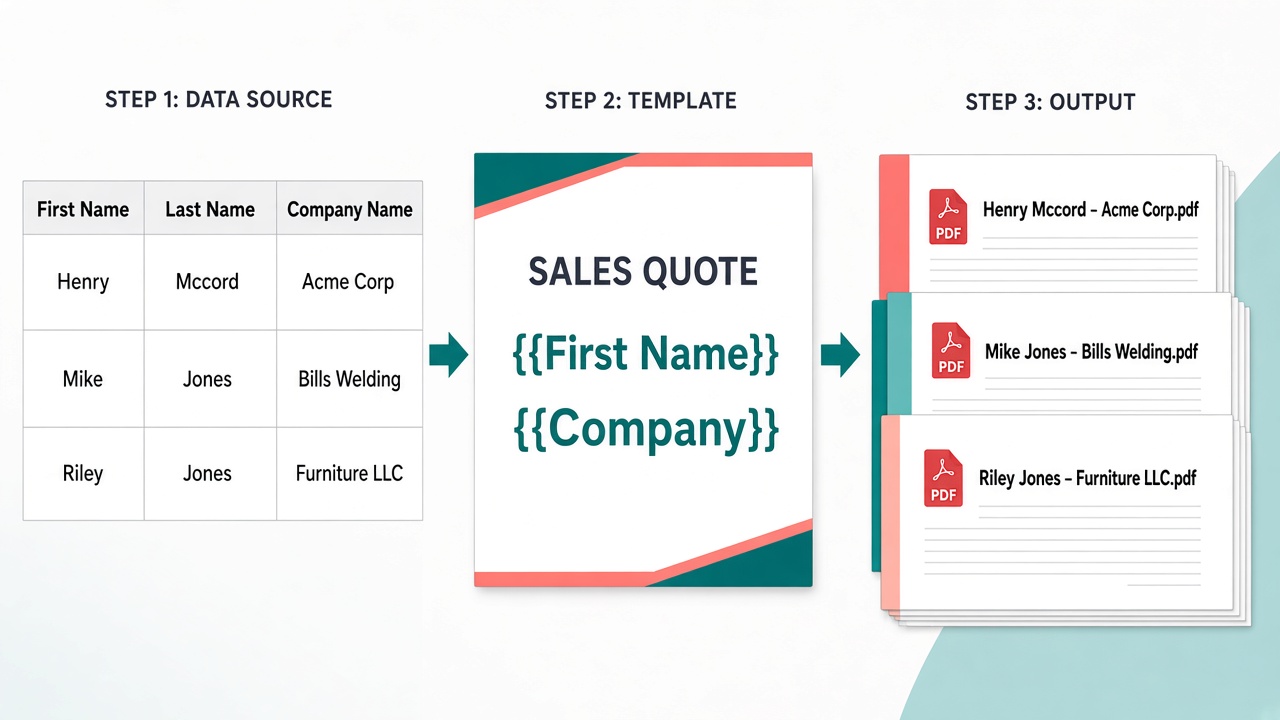
Go Document Merge is a Google Workspace add-on. It creates thousands of personalized Google Docs from one Google Sheet and one Google Docs template.
You keep your data in Sheets. You keep your layout in Docs. The add-on fills every placeholder and writes finished files into Google Drive.
Who uses it
Teams use Go Document Merge when they need many similar documents with unique values:
- Invoices and receipts
- Certificates and report cards
- Offer letters and contracts
- Client proposals and statements
How it works
- Put one row of data per document in a Google Sheet.
- Add
{{Column Name}}placeholders in a Google Docs template. - Choose a Drive output path and start the merge.
The add-on reads each sheet row, fills the template, and saves a new document. You track progress in the sheet with Merge Status.
Why use Google Workspace native merge
Your data stays in Google Drive. You do not export CSVs or upload files to a separate tool. Templates use the same Docs editor you already know.