Contract generation for small businesses with Google Docs
· 2 min read

Small businesses win work faster when contracts leave the inbox the same day. The blocker is rarely legal language. The blocker is retyping client details into the same agreement again and again.
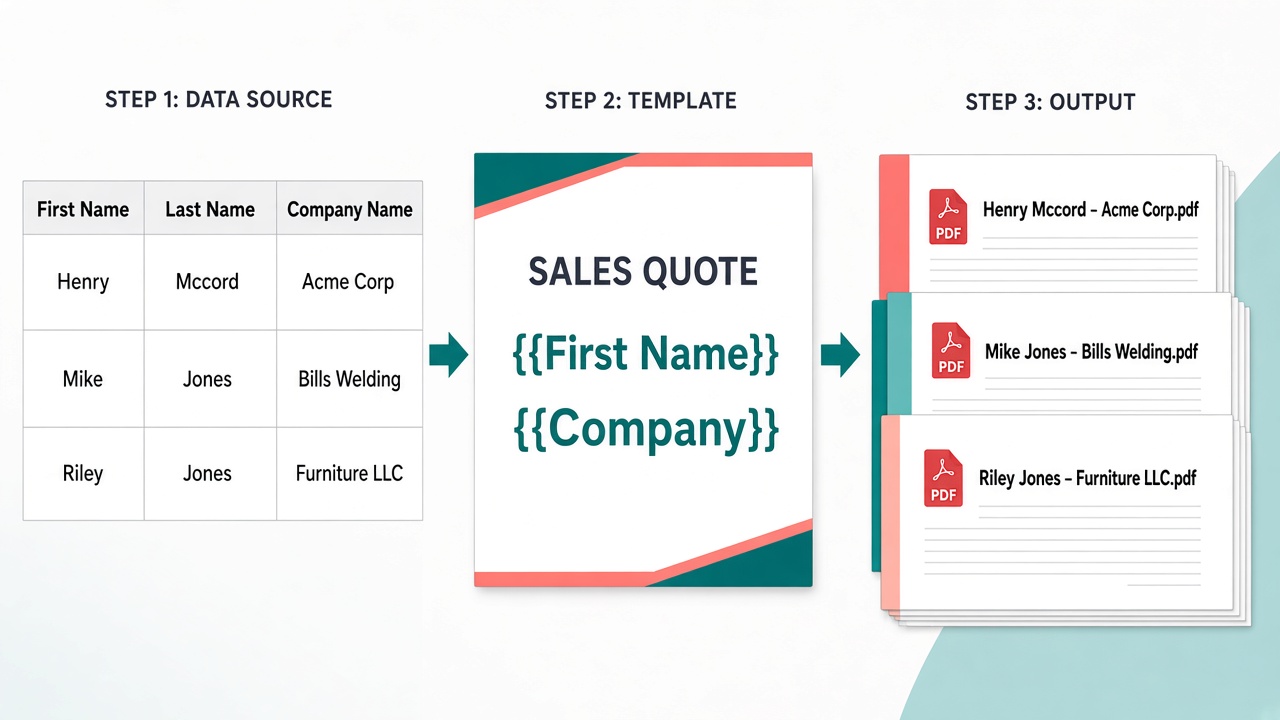
Keep the contract body in Docs
Store standard terms, payment clauses, and signature blocks in one Google Docs template. Only merge the fields that change:
- Client name
- Company name
- Service package
- Price
- Start date
Feed contracts from a simple deal sheet
A lightweight sheet works well:
| Company Name | Contact Name | Package | Price | Start Date |
|---|---|---|---|---|
| Bright Studio | Sam Ortiz | Pro | 1200 | 2026-07-01 |
Export-friendly CRM lists also work after you clean headers.
Produce review-ready files in Drive
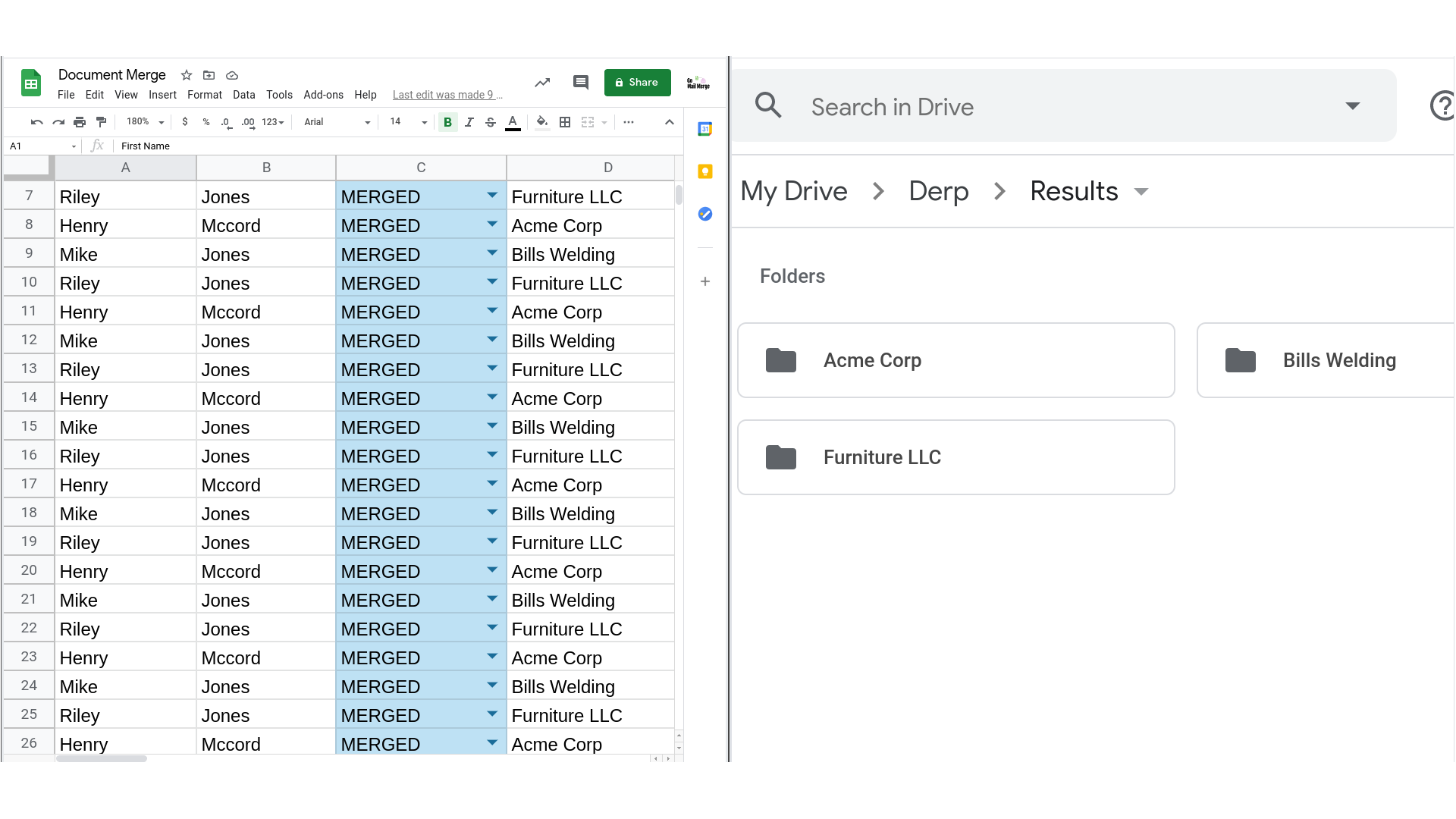
Go Document Merge writes one contract per row. Sales can open the Drive folder, review a file, then share or export PDF.
Guardrails that keep contracts accurate
- Match placeholders to headers exactly.
- Include a unique ID or company name in the output path.
- Test with two sample deals before a full batch.
- Keep approved legal text only in the template.