Automate invoice generation with Google Sheets
· 2 min read

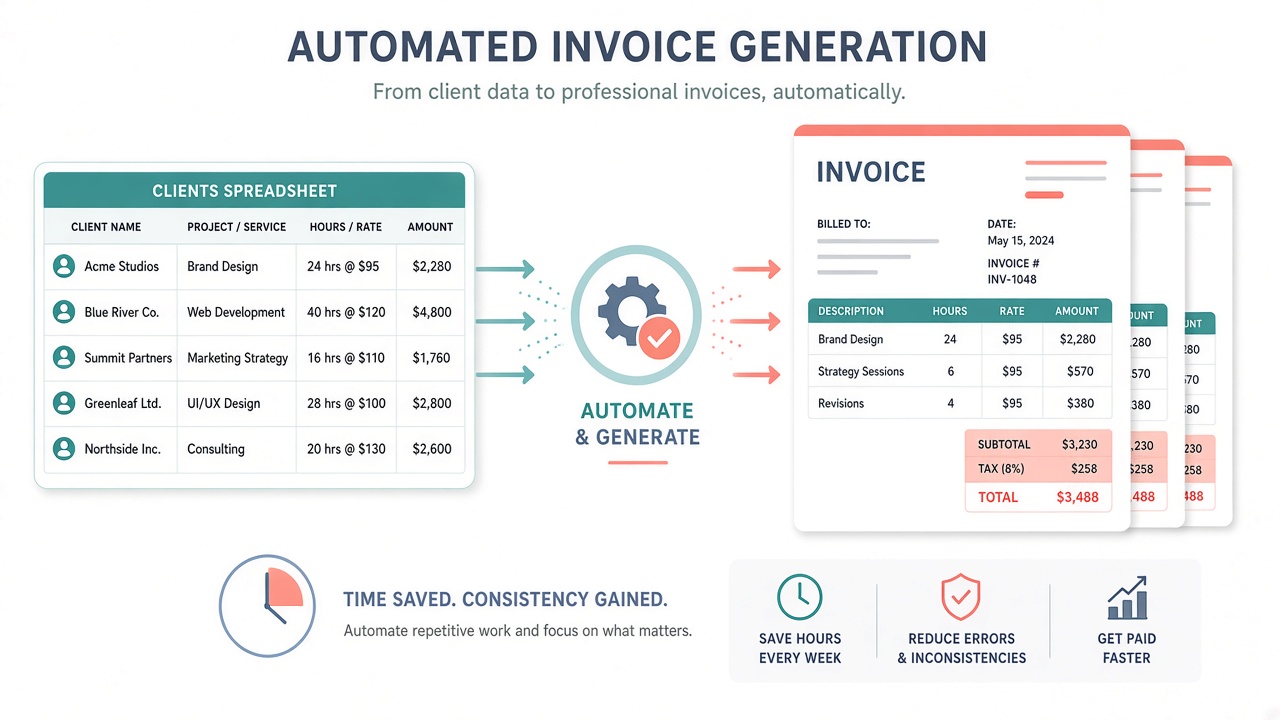
Billing often stalls on formatting, not on math. Someone exports a spreadsheet, then rebuilds each invoice by hand.
Go Document Merge turns invoice rows into finished Google Docs while your data stays in Sheets.
Build an invoice-ready sheet
Use columns your finance process already tracks:
Company NameInvoice NumberAmountDue DateService Description
One row equals one invoice. That rule keeps audits simple.
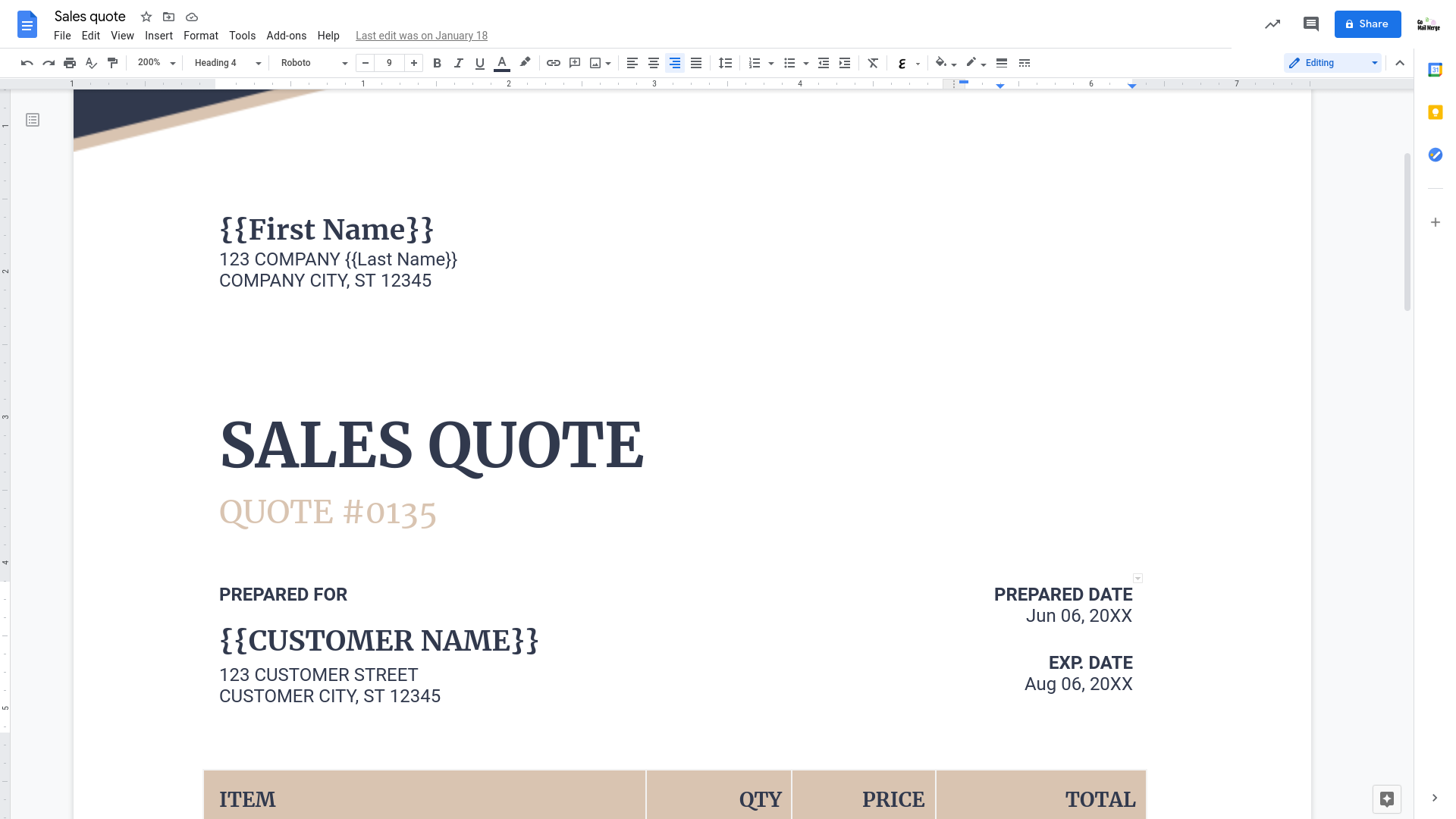
Design one branded invoice template
Create a Google Docs invoice with your logo, payment terms, and table layout. Replace client-specific values with placeholders such as {{Company Name}} and {{Invoice Number}}.
Generate the invoice pack
- Open the billing sheet.
- Launch Go Document Merge.
- Point to the invoice template.
- Use an output path like
Billing/{{Company Name}}/{{Invoice Number}}. - Start the merger.
You get a Drive folder of invoices ready to share or export as PDF.
Time saved
Teams that bill dozens or hundreds of clients each month remove repetitive copy-paste work. The template keeps branding consistent. Sheets remains the source of truth.
Next steps
- Follow the prepare Google Sheet guide
- Review output path naming
- Install Go Document Merge